
During the summer of 1997, probably because I was terribly bored, I thought it would be cool to write my own operating system. After all, why not? I had already developed a micro-OS on a Motorola 68010-based board for my senior Electronics project.
As a huge Atari fan who had absolutely no idea of the Herculean task ahead, my goal was insane: porting Atari's TOS to IBM and Apple's CHRP (Common Hardware Reference Platform). While Apple was already releasing PowerPC machines, their architecture remained proprietary. CHRP, on the other hand, was meant to be an open platform—much like the PC—making it the ideal candidate for my project.
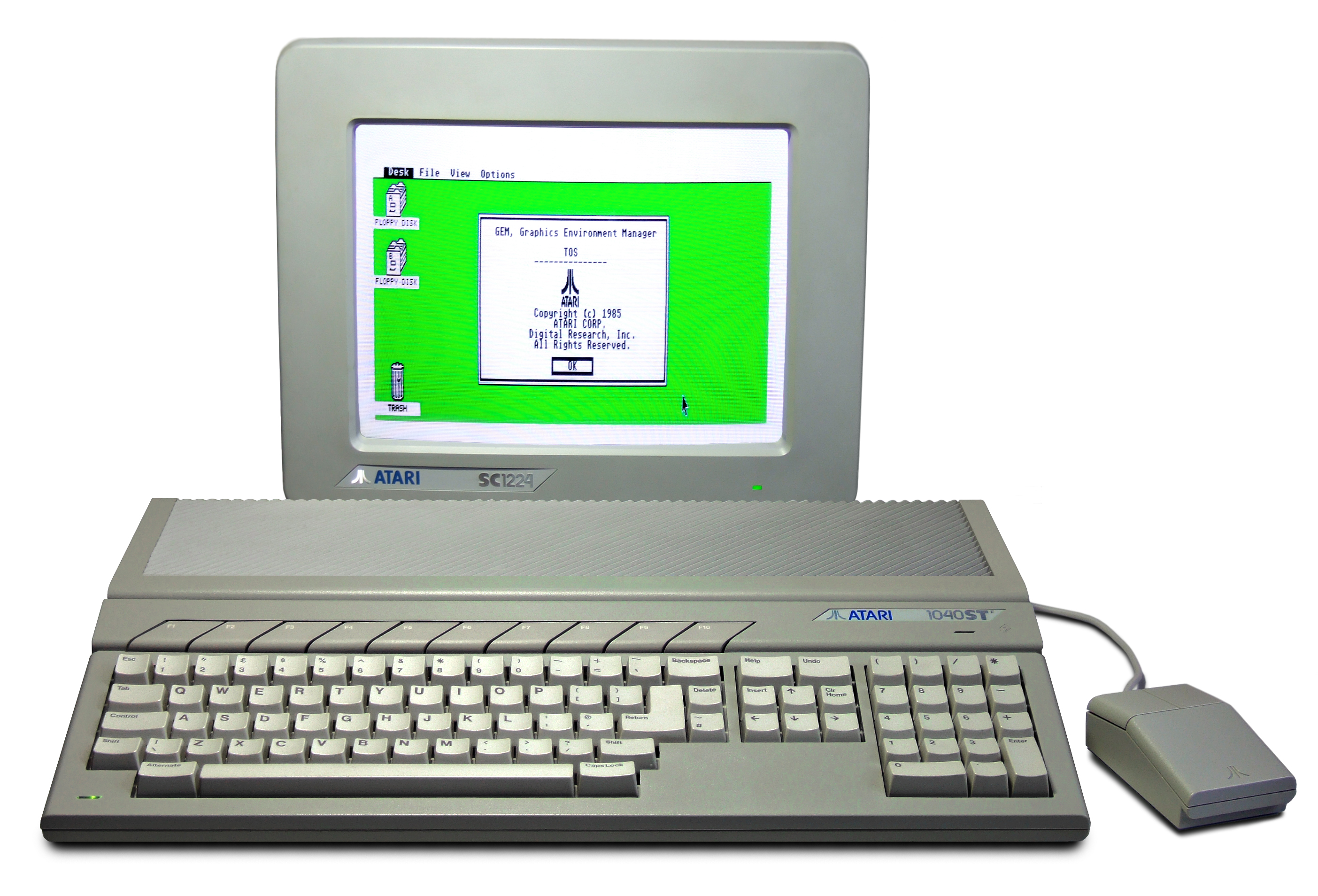
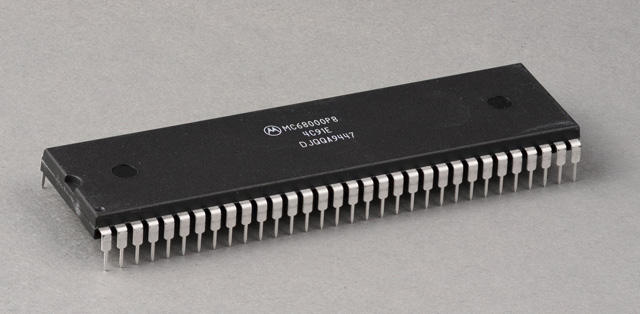
For those who didn't experience it, the Atari ST is a legendary machine released in 1985. It featured a Motorola 68000 processor, an OS called TOS, and a graphical user interface named GEM, complete with windows, icons, and drop-down menus—long before this became the industry standard. It was the machine of an entire generation of musicians, writers, and demomakers.
So there I was, embarking on a completely useless, and therefore absolutely essential, project. Obviously, I didn't have the source code for TOS. My only weapons? A single book, the Atari Compendium (the developer's bible), and a decade of experience on the platform, mostly coding games and demos in assembly.
The Theory: Three Steps to the Holy Grail
In theory, all I had to do was reimplement all the machine's APIs, which were broadly split into two main blocks:
- The BIOS/XBIOS: Handling the hardware (video, audio, disk access, external ports).
- GEM/VDI: Managing the display, menus, and windows.
Since the task was colossal, I had planned the project around three intermediate steps:
- Step 1: Write a partial Atari emulator on a Mac (running MacOS 8 at the time). Partial, because the goal wasn't to emulate the coprocessors down to the exact clock cycle, but rather to get the Desktop (Atari's "Finder") and applications running. The idea was to take an Atari ST ROM and trick it into thinking it was running on its native hardware, when it was actually executing inside a Mac app.
- Step 2: Isolate an Atari application so it could run as a standalone MacOS application.
- Step 3: Write a multitasking kernel and all the native drivers (video, audio, filesystem) to boot directly on CHRP hardware. (Cue Linux).
The Harsh Reality of Practice
I started by developing an emulator for the Motorola 68000 processor, the heart of the Atari. With ten years of 68k assembly under my belt, it was actually quite fun. The CPU is relatively simple: about twenty registers, 56 opcodes and sequential execution. Nothing like modern processors.
Coincidentally, Apple had also written an incredibly efficient 68k emulator for PowerPC to run legacy Mac 68k applications. It was during this era that they gained their massive experience in platform migrations, which later continued with Rosetta (PowerPC to Intel) and Rosetta 2 (Intel to ARM).
Once my 68k emulator was up and running, I loaded an Atari ST ROM and began executing the TOS boot instructions, one by one. This is exactly where theory collapsed to make way for the fantastic, magical world of practice.
The problem with machines from the early '90s is that their ROMs are deeply, physically tied to the hardware. An Atari ST runs TOS 1.0, an STE runs 1.6, a Falcon runs 4.0... You can't run one machine's ROM on another. Even though documented APIs existed, many were not public, and the code constantly made direct calls to physical hardware components. For instance, the Desktop code directly uses hardware interrupts just to synchronize the display of its menus!
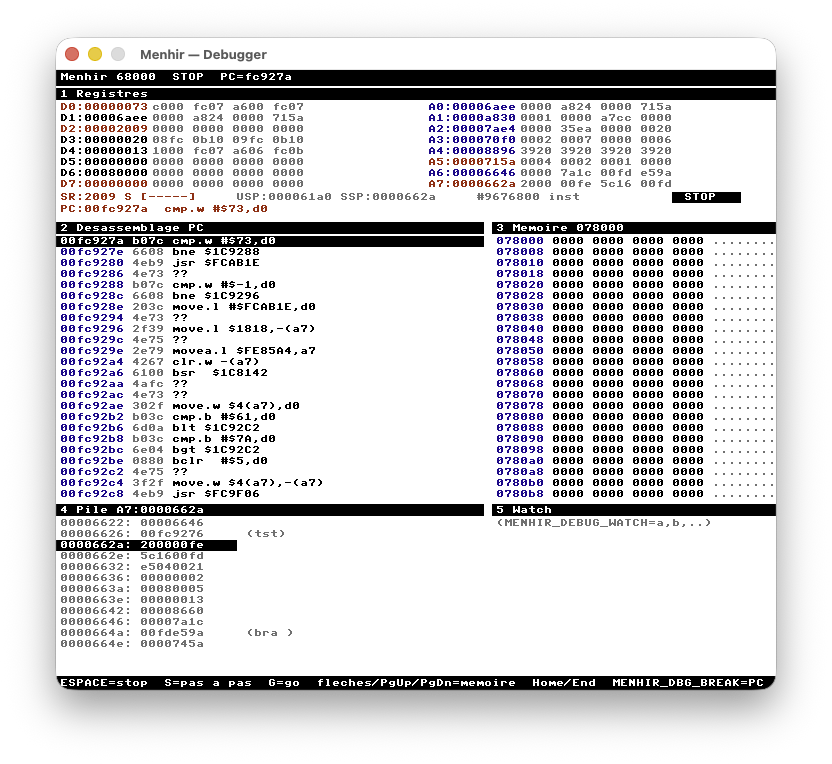
Without the source code, you spend all your time looking at disassembled ROM instructions trying to guess what it's attempting to do. Most of the job consists of running the execution, waiting for it to crash or loop indefinitely, figuring out why, fixing it, and moving to the next bug. It was a tedious, painstakingly slow, monk-like effort.
The 1997 Verdict: Left Unfinished
After a few weeks of intensive coding sessions, the work began to pay off. I managed to load and run text-mode applications from a virtual floppy disk. To be fair, back in the '90s, most applications were only a few hundred kilobytes so they could fit on a 720 KB floppy (machines often had just 512 KB or 1 MB of RAM).
But what about the Desktop? Unfortunately, I never managed to get it to boot completely, let alone launch graphical apps. In January 1998, I went back to my engineering studies at Epita and moved on to other exciting projects. The multitasking kernel and native PowerPC boot were quickly forgotten. Goodbye, my dream of writing an OS.
2026: Claude Enters the Game
Recently, while cleaning up my hard drives, I stumbled upon the source files of this project, which I had named Menhir. The catch: it was code written with Metrowerks CodeWarrior for MacOS 8. Compiling it on a modern system without a daunting amount of rewrite was impossible.
But this is 2026, and we now have a powerful ally: Claude. Even though it's mostly trained for web dev and modern programming languages, I figured it could handle C and m68k assembly. I gave it access to my old source folder and typed a hopeful prompt: “Here is the code for an Atari emulator for MacOS 8, port it to macOS 26.”
A few hours (and quite a bit of trial and error) later, I ended up with a brand-new Xcode project that compiled and launched... only to display a black screen. It took several more days of intense sessions—diving back into old Atari documentations to refresh my memory and guide the AI step-by-step—to get a first working result.
I had finally resurrected my 1997 code on a modern Apple Silicon Mac. But remember: back then, the ROM didn't boot all the way through. The Desktop was still missing. I wasn't about to give up, and Claude was going to have to do some more heavy lifting.
Behind the Prompt: AI as a Software Preservation Tool
From a more technical standpoint, this experiment highlights a frequently underestimated capability of Large Language Models (LLMs). We often frame AI as a factory for generating new code for modern frameworks or trending web stacks. But we overlook its phenomenal processing power when it comes to reverse engineering and code translation.
To resurrect Menhir, Claude had to manipulate obsolete architectural concepts. Mapping low-level MacOS 8 APIs (built on legacy frameworks like QuickDraw) to modern macOS windowing systems (Cocoa) requires a deep understanding of paradigms from two completely distinct eras.
This is where the AI revealed another formidable skill: its capacity for deep introspection inside raw assembly code pulled straight from a ROM chip. Faced with disassembled binary dumps lacking any comments or symbols, Claude proved stunningly efficient at dissecting TOS routines. Where a human engineer would spend hours mapping registers, tracing conditional jumps, and guessing which BIOS function or hardware register was being targeted, the AI analyzed the logic flow instantaneously. It helped me pinpoint exactly why the ROM was looping or which un-emulated subsystem it was waiting on for a signal—turning an opaque reverse-engineering grind into an interactive, crystal-clear dialogue.
AI doesn't just build the future of software; it acts as an incredibly powerful preservation tool for archiving, maintaining, and breathing new life into the digital heritage of the last century. Moreover, the security implications are vast: it allows engineers to safely audit and extract critical structural data from legacy, closed-source binaries buried deep inside older ROMs and BIOS chips.
A Thirty-Year Technological Chasm
Between my first line of code and today, the computing landscape has fundamentally shifted. Macs transitioned from PowerPC to Intel, and then to Apple's ARM-based Apple Silicon. Graphical libraries and dev tools were entirely wiped away. Worse yet, some core assumptions my 1997 code took for granted are completely false on modern architectures.
The most deceptive trap was endianness (the byte order in memory). The Atari's Motorola processor stores numbers "the right way around" (Big-Endian), while modern processors store them "backwards" (Little-Endian). When dealing with the raw anatomy of memory—which an emulator does at every single millisecond—this subtle shift introduces silent bugs where every other byte is corrupted. I tracked down dozens of these with the AI's assistance.
The Moment the Screen Finally Lights Up
Getting this old code to compile was a marathon, but the real thrill came when the Atari operating system booted up for real.
The signature grey background of the GEM desktop appeared. The menu bar loaded—“Desk / File / View / Options”—the floppy drive icons snapped into the corner, and the mouse cursor actually started tracking my movements.
At that exact moment, it wasn't just code anymore. It was a machine from 1985 coming back to life inside a window, on a computer that none of its original creators could have ever imagined.
Then came the milestones that made the project meaningful: clicking an icon and seeing it highlight. Double-cliquer to open a window and seeing the file list populate. Pulling down a menu. Closing a window. Every single one of these little victories—which had completely blocked me in 1997—took days of work, because behind every click lies a tangled web of hardware mechanisms that the original OS orchestrated with military precision. I won't detail everything I had to do here, as I'm saving that for a future article.
Real Software, Three Decades Later
The ultimate test wasn't just admiring the desktop, but launching real software from back in the day. And against all odds, it worked—mostly. Today, Menhir successfully runs 1st Word Plus, the legendary word processor bundled with every Atari ST, the very one an entire generation used to type their first words.
Watching those 150 kilobytes of 1987 code load up, display its entire interface (menus, function bar, character palette), and instantly respond to my modern Mac keyboard feels like true time travel.
What Remains of This Adventure
It's not perfect. Some very old software handles the mouse at such a low level that they bypass standard TOS routines; for those, you can type, but you can't click the menus just yet. Similarly, demos that pushed the hardware to the microsecond remain out of reach, as my emulator wasn't built for cycle-accurate hardware fidelity. These limits are understood, documented, and fully accepted.
But the most important thing lies elsewhere. There is something profoundly satisfying about closing a loop opened nearly thirty years ago. The code hadn't vanished; it was simply waiting for the right machine, the right technology, and a little bit of patience to build a bridge between two eras.
However, let’s be honest: even though seeing this emulator run today is a wonderful personal victory, it wasn't the original goal of that summer in 1997. My ultimate dream was to build a brand-new, modern OS capable of running old Atari apps natively. Today, such a project makes no technical sense. And besides, that dream already exists in the real world: other passionate developers took care of it long before me through the excellent open-source project FreeMiNT.
Menhir turned out to be just a nostalgic detour, but what a ride!
Menhir is a personal project. The emulator, system images, and period-correct software remain the property of their respective authors.